By Alex Carter · SatellitePlus, a CannedRocket application.
Start free, or choose Pro.
No app account or subscription is required. Check your local App Store for price and device compatibility.
Plan your first satellite pass
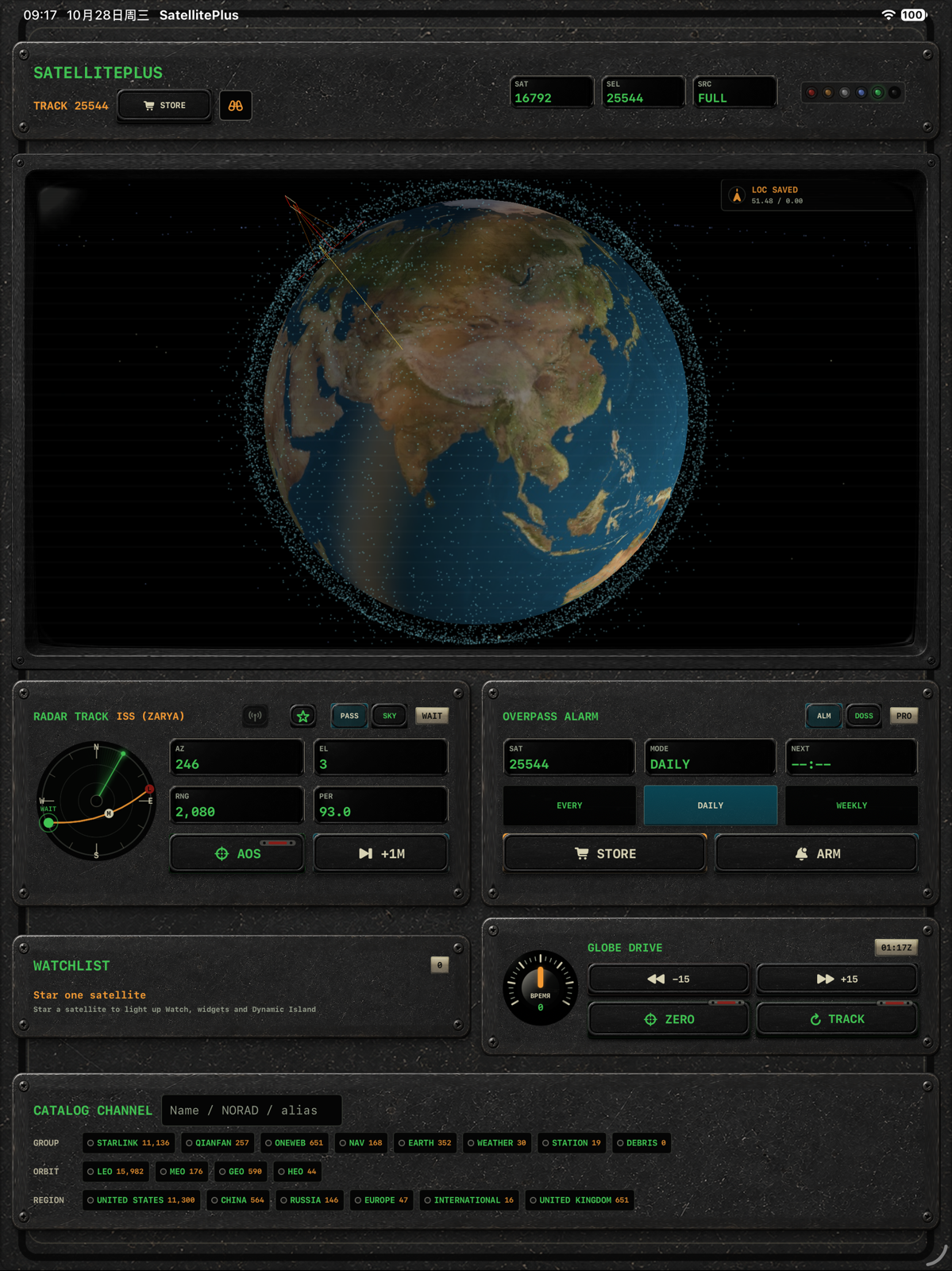
- Set your observing site. Choose a manual site or allow location access. Without it, the app uses a default observer; check this before trusting a local pass time.
- Find a target. Search for the ISS by name or NORAD ID 25544, then open its pass dossier. Following keeps a target easy to find; it does not enable notifications.
- Read rise, peak and set. Note the displayed time zone, maximum elevation and orbit-data age. Start with a high, unobstructed pass rather than one grazing the horizon.
- Check the sky. Use optical visibility windows when observing by eye, then check clouds and local obstacles. A geometric pass can occur in daylight or while the satellite is in shadow.
- Know where to look. Polar radar and sky guidance show azimuth and elevation. North is 0°, east 90°, south 180° and west 270°; 90° elevation is overhead. The optional camera background is a guide, not satellite image detection.
- Set a reminder deliberately. Free includes one active local reminder. Confirm notification permission; following a satellite by itself is not a reminder.
Use a safe observing spot, let your eyes adapt, and keep clear of traffic. This is a personal observation and learning tool, not navigation or safety-critical guidance.
Which edition fits your observing routine?
| Workflow | Free download | Lifetime Pro unlock / Pro app |
|---|---|---|
| 3D Earth, polar radar, following and phone console | Included | Included |
| Planning and saved sites | One day ahead; one saved site | 3/7-day planning; multiple sites and elevation/twilight filters |
| Reminders | One active local reminder | Multiple local reminders |
| Widgets, Apple Watch, Live Activities | Requires Pro unlock | Included; supported devices and system timing apply |
Already unlocked Pro in the free app? Use Restore Purchases there with the purchasing Apple account. You do not need to buy the separate Pro app to restore that unlock.
Apple Watch stores the next 48 hours of trajectories after syncing with iPhone. Offline viewing is limited to that saved period and needs another sync to refresh. Start a Live Activity yourself; it is not continuous background tracking.
Above the horizon does not mean visible
Geometric position answers where a satellite is relative to your site. Seeing it by eye also depends on illumination, sky brightness, weather, obstructions and the age of the orbital data. A sunlit satellite is not automatically bright enough to see.
Explore a reproducible example: geometric passes versus optical screening. It uses historical orbital data and independent Skyfield calculations, not a live forecast or a SatellitePlus field test.
Bring a specific question
Read the SatellitePlus forum for observing checklists and product questions. Reading is public; registration keeps email verification and owner approval.
For a useful answer, include the app version, observing site at a town-level precision, displayed time zone, target, and what you expected. Never post passwords, tokens or precise home coordinates.
Contact Alex Carter · [email protected], or read SatellitePlus support.
Technical reference: Skyfield satellite coordinates and illumination. Product availability and feature descriptions: SatellitePlus and SatellitePlus Pro on the App Store.